Bin Snooper

Who's in which bin, and for how long?

See which bins each editor has open, from scene bins to reels, and how long they've been in each one, across all your shared Avid Media Composer projects. Bin Snooper also flags the locks a crash left behind and clears them safely.

For Mac (macOS 12 or later). Works with any Media Composer project on a shared drive. It only reads your project folders.

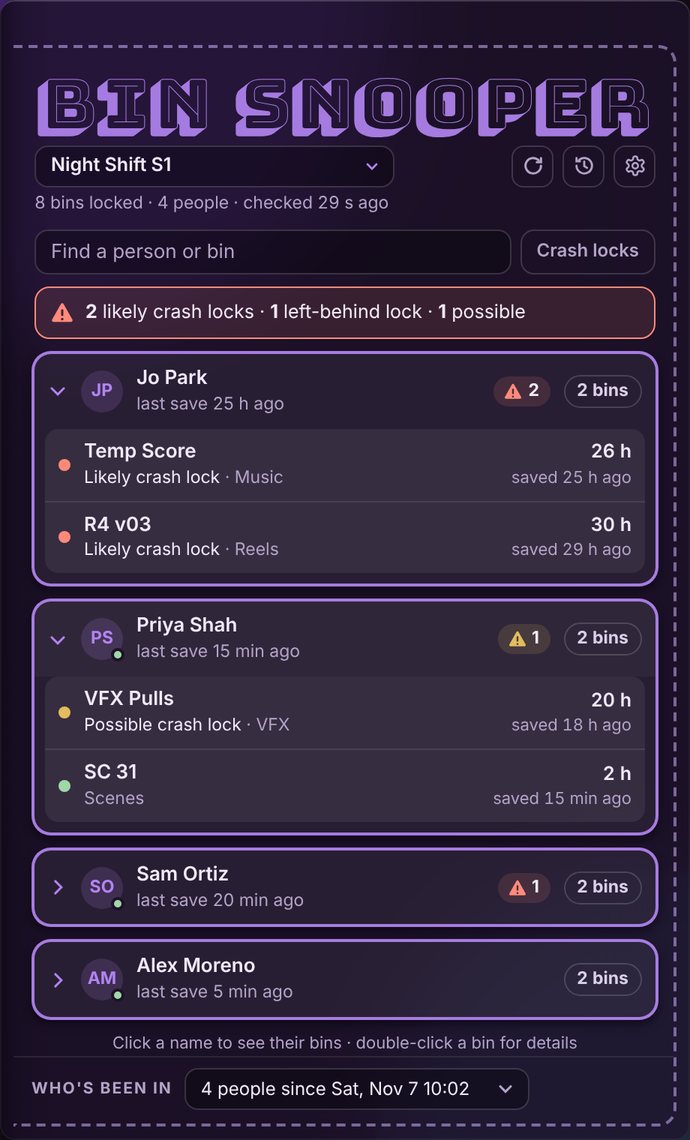
Bin Snooper listing the bins each person has locked, with likely and possible crash locks flagged

Everything Media Composer's lock icon doesn't tell you

The red padlock says a bin is locked. Bin Snooper says who has it, how long it's been open, whether they're still working in it, and whether a crash left it behind.

Everyone's locks, live

Every locked bin across your projects, grouped by person and checked every 30 seconds.

Crash locks flagged

Locks nobody has saved in hours are flagged, with the reason. Bins that are just left open are told apart.

Cleared safely

Delete a crash lock in one click. Bin Snooper checks it again first, keeps a copy, and won't touch a lock that's in use.

Who's been in

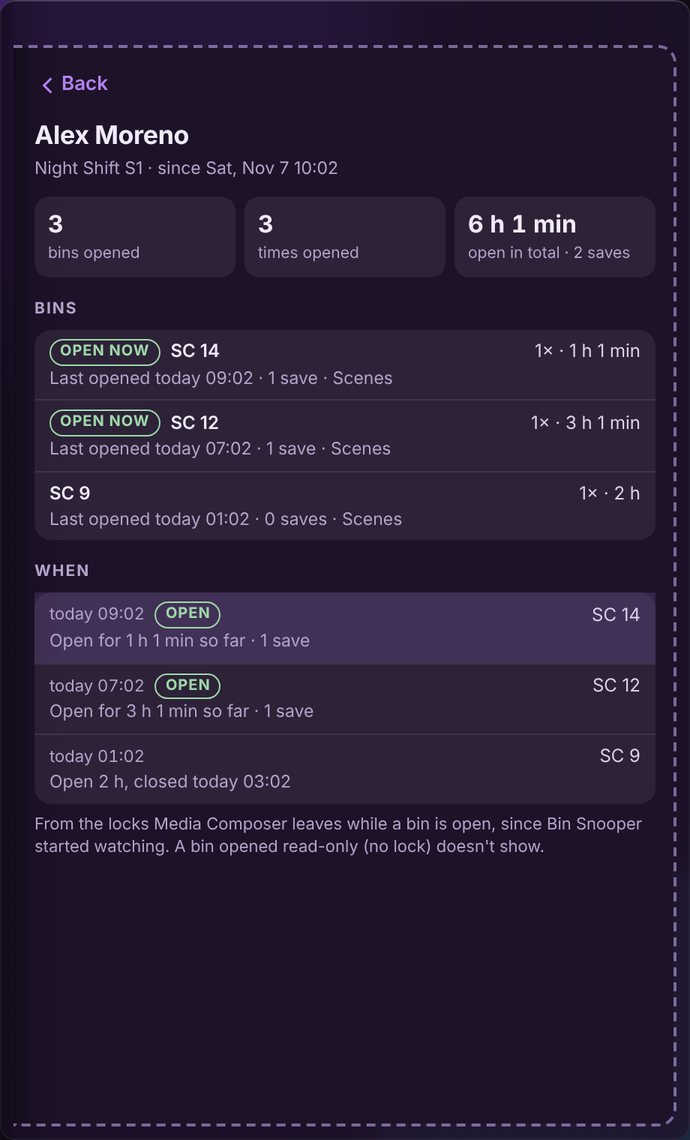
Pick anyone to see which bins they've opened, when, for how long and how often they saved.

A history you can search

Every open, close, save and cleared lock, kept on your Mac.

Quiet in the menu bar

It sits in the menu bar and plays a soft sound when a new crash lock turns up.

Three kinds of trouble

Bin Snooper rates every lock against how long it's been open and when the bin was last saved.

Likely crash lockOpen for hours, and nothing that person has open has been saved lately. They're probably not in Media Composer.
Possible crash lockThis bin hasn't been saved, but they're saving others. They may have just left it open.
Left-behind lockA lock with no bin beside it: the bin was renamed, moved or deleted.
One editor's breakdown: which bins they opened, when, and for how long

£3 a year

Buy it here or from the Mac App Store. It's the same Bin Snooper either way.

From this site
£3 / year
  • Turn it on straight away with the email you paid with
  • Use it on 2 Macs, and move it whenever you like
  • Works on air-gapped suites with an offline licence
  • Includes VAT. Sold through Paddle, who send your receipt
  • 30-day money-back guarantee
Buy · £3 a year
From the Mac App Store
Free trial
  • Then a yearly subscription through your Apple ID
  • Updates through the App Store
  • Cancel any time in your App Store settings
Mac App Store

Help

Does it change anything in my project?

No. Bin Snooper only reads folder listings, file dates and lock files. The one exception is a lock you choose to delete, after it's been checked again. A copy of that lock is kept.

What does it need to see?

Your Avid project folder on the shared drive (or the folder holding several projects). It reads the .lck files Media Composer leaves beside open bins.

Does everyone in the cutting room need it?

No. One copy, on any Mac that can see the shared drive, shows everyone's locks. Assistants and post supervisors usually run it.

My suite has no internet

Buy on any computer that's online, then email licence@drpob.com the email you paid with and the offline Mac's ID (it's on Bin Snooper's licence screen). We'll send a licence file made for that Mac, which needs no internet.

How do I turn it on, or move it to another Mac?

Open Bin Snooper, type the email you paid with and click Email me a code, then type the 6-digit code we send. To move it, open Settings › Licence › Move to another Mac on the old Mac first. Cancel or change your card any time from the link in your Paddle receipt.

Something's not right

Email apps@drpob.com. The website version also has a Send logs button under "Something not right?".